Stop Fighting Over Staging Environments
Slack bot that manages staging environment availability so your team knows who's using what, when
Trusted by developer teams


Everything you need to manage staging environments
Streamline your development workflow with intelligent staging environment management
Real-Time Environment Status
See which staging environments are free or occupied at a glance. No more guessing games.
One-Click Environment Claiming
Reserve an environment instantly with a simple slash command or button click.
Auto-Release Timer
Set time limits so environments automatically become available when your work is done.
Slash Command Interface
Use familiar developer commands like
/staging claim env-1 for lightning-fast environment
management.
Smart Notifications
Get notified when environments become available or when your time limit is approaching.
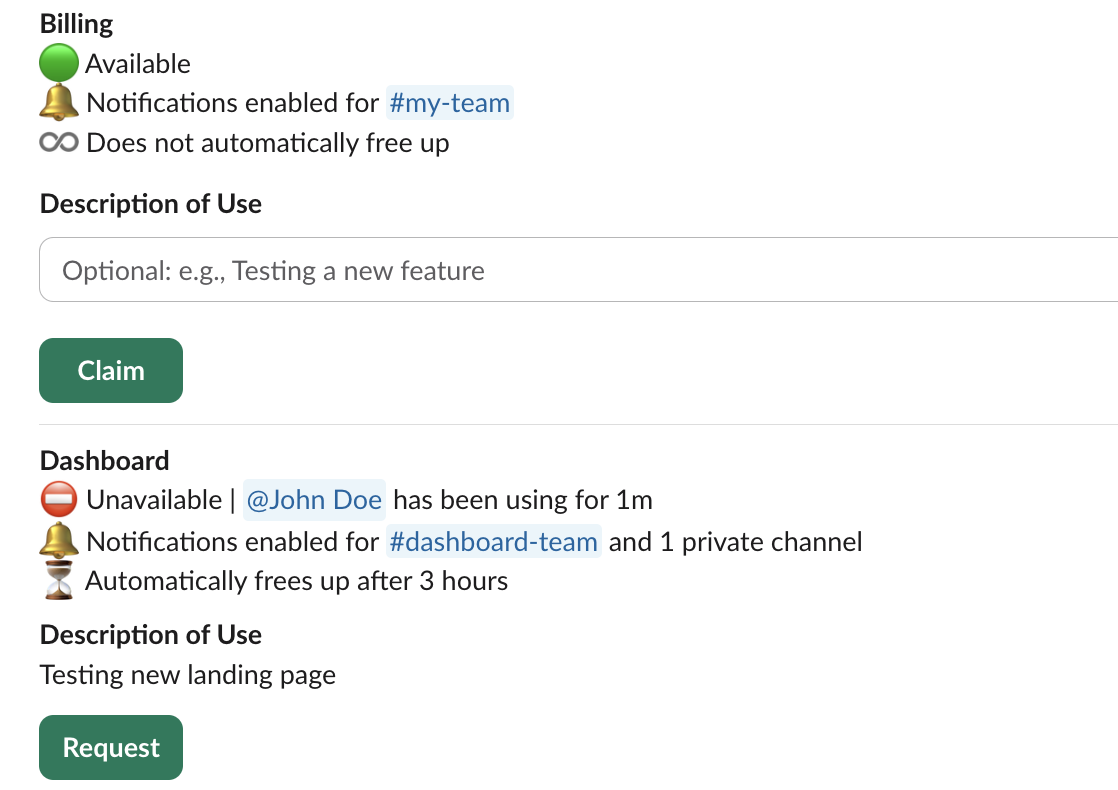
Environment Overview
Get a complete overview of all environments and their current status from your Slack home tab.
How it works
Get up and running in minutes, not hours
Install Slack Bot
Add Staging to your Slack workspace with one click. No complex setup required.
Configure Environments
Define your staging environments and set up basic rules. Takes less than 5 minutes.
Start Managing
Use slash commands or the home tab to claim, release, and monitor environments effortlessly.
Built for Slack, built for developers
No context switching. No external tools. Everything happens right where your team already communicates.
Simple, transparent pricing
Start free, scale as you grow. No hidden fees.
Free
Perfect for small teams getting started
Premium
For growing teams that need more environments
Enterprise
For large organizations with custom needs
* VAT added based on your country • No setup fees • Cancel anytime
Frequently Asked Questions
Everything you need to know about Staging
What is Staging?
▼Staging is a Slack bot that helps development teams manage staging environment availability. See which environments are free or in use, claim environments with simple commands, and set automatic release timers - all without leaving Slack.
How does billing work?
▷Does Staging handle deployments?
▷How long does setup take?
▷Do you read our messages?
▷Can I cancel anytime?
▷What's your refund policy?
▷Ready to eliminate staging environment conflicts?
Join teams who've streamlined their development workflow with Staging
No credit card required • 2-minute setup